Condition
Connect some inputs and some outputs to this node, then write rules in the schema box that describe what to watch for and what to send when a rule is met.
Every time a new value arrives on any input, the node checks all the rules. If a rule’s conditions are all satisfied, it immediately sends the values specified to the chosen outputs — then resets, ready to fire again the next time.
Note: It only fires once per “completion” — after firing, it forgets what it saw and waits for fresh values to arrive again before it can fire a second time.
Writing rules (the schema)
The schema is a JSON array — a list of rules, each with a condition and a list of actions to take when that condition is true.
// A list of rules. You can have as many as you like.
[
  {
    "condition": { },
    "actions":   [ ]
  }
]
Three ways to write a condition
| Type | What it means |
|---|---|
and | All of the sub-conditions must be true at the same time |
or | At least one sub-condition needs to be true |
eval | Check one input value — against a fixed value, another input’s value, or by its length |
Setting up a check (eval)
Every eval starts with the input to read and how to compare it:
| Setting | What to put here |
|---|---|
receiver | The name of the input to read. If the input carries a map, use a dot to reach inside it: sensor.temperature |
operator | How to compare: == != < <= > >= |
Then choose what to compare against — one of the two options below.
Option A — a fixed value (the usual way):
| Setting | What to put here |
|---|---|
datatype | What kind of value you’re comparing against: BOOL, INT, FLOAT, STRING, BYTES |
value | The value to compare against. For numeric datatypes, numbers are decimal. if you need hexadecimal, provide the value as a string with a 0x prefix (e.g., "0xFF"); for INT, this is automatically converted, so "0x64" and 100 are treated the same. For BYTES, provide a comma- or space-separated list (e.g., "0x00, 0x04, 0xFF") |
Option B — another input’s value:
| Setting | What to put here |
|---|---|
value_receiver | The name of another input whose most recent value to compare against. Use a dot to reach inside a map, e.g. sensorB.temperature. No datatype is needed — the two values are compared directly |
Use either
value(withdatatype) orvalue_receiver— not both.
Comparing lengths instead of values
Add length: true to any eval to compare the length of the input value rather than the value itself:
| Setting | What to put here |
|---|---|
length | When true, compares the number of bytes in the input value — for a STRING this is its UTF-8 byte length, for BYTES it’s the byte count. Compared against value (a whole number, e.g. 8), or against another input’s length when combined with value_receiver |
Two ways to send output (actions)
Send a fixed value — always sends the same thing, no matter what came in:
"payload": {
  "type": "static",
  "datatype": "STRING",
  "value": "Alert!"
}
Forward a value from an input — passes along whatever arrived on a given input. Use a dot to reach into a map:
"payload": {
  "type": "dynamic",
  "receiver": "sensor.temp"
}
Example 1 — temperature alert
Fire when a sensor reads 100 or above AND the system status says "ACTIVE". Send a warning message to one output and the raw temperature number to another.
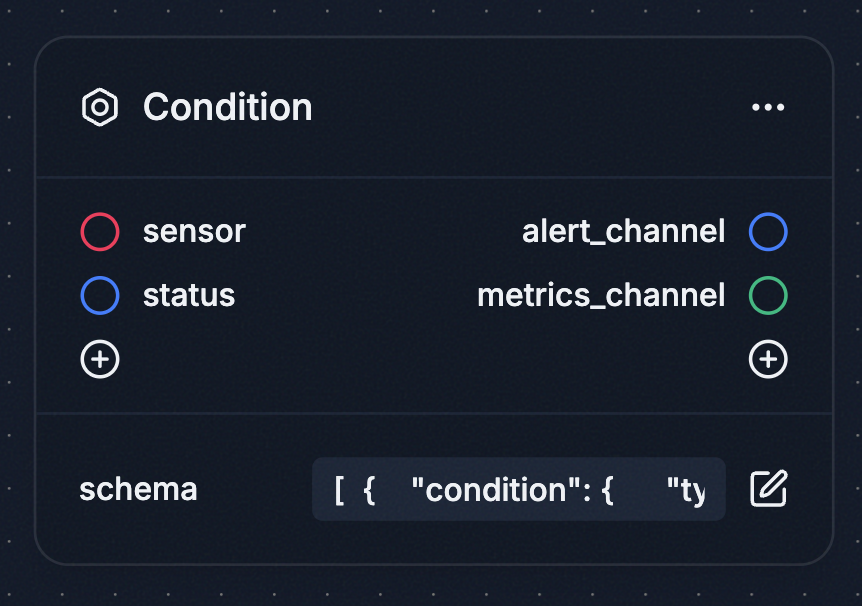
Inputs: sensor (a map containing temperature), status (a string)
Outputs: alert_channel, metrics_channel
[
  {
    "condition": {
      "type": "and",
      "operands": [
        {
          "type": "eval",
          "receiver": "sensor.temperature",
          "operator": ">=",
          "datatype": "INT",
          "value": 100
        },
        {
          "type": "eval",
          "receiver": "status",
          "operator": "==",
          "datatype": "STRING",
          "value": "ACTIVE"
        }
      ]
    },
    "actions": [
      {
        "sender": "alert_channel",
        "payload": { "type": "static", "datatype": "STRING", "value": "Overheating!" }
      },
      {
        "sender": "metrics_channel",
        "payload": { "type": "dynamic", "receiver": "sensor.temperature" }
      }
    ]
  }
]
Example 2 — matching byte sequences
Route two different incoming messages to different places based on a byte ID. Both rules watch the same input; whichever ID matches fires its action.
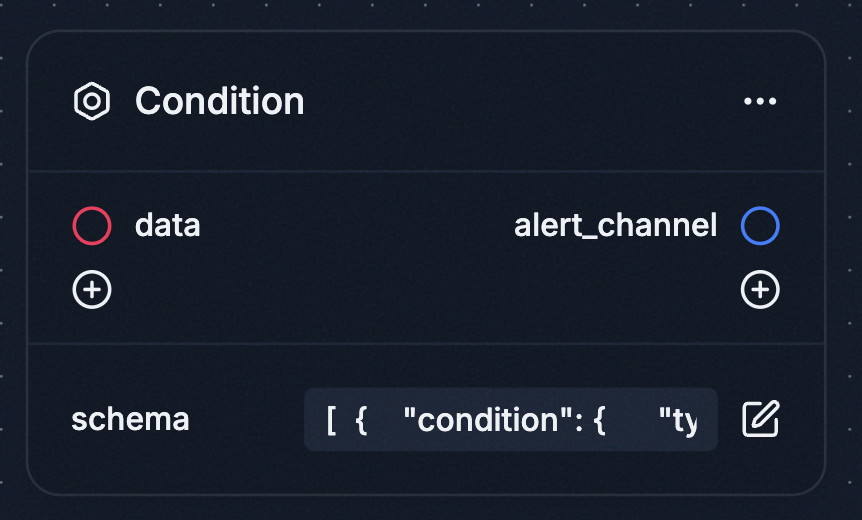
Inputs: data (a map containing frame_id as bytes)
Outputs: alert_channel
[
  {
    "condition": {
      "type": "eval",
      "receiver": "data.frame_id",
      "operator": "==",
      "datatype": "BYTES",
      "value": "0x00, 0x04, 0x04, 0x10"
    },
    "actions": [{ "sender": "alert_channel", "payload": { "type": "static", "datatype": "STRING", "value": "Hello" } }]
  },
  {
    "condition": {
      "type": "eval",
      "receiver": "data.frame_id",
      "operator": "==",
      "datatype": "BYTES",
      "value": "0x00, 0x04, 0x04, 0x08"
    },
    "actions": [{ "sender": "alert_channel", "payload": { "type": "static", "datatype": "STRING", "value": "World" } }]
  }
]
Example 3 — two independent rules sharing inputs
Rule 1 needs sensor1 and sensor2 to both say "HIGH". Rule 2 needs sensor1 and sensor3. Each rule keeps its own memory — when Rule 1 fires and resets, Rule 2 still remembers the value it already received from sensor1.
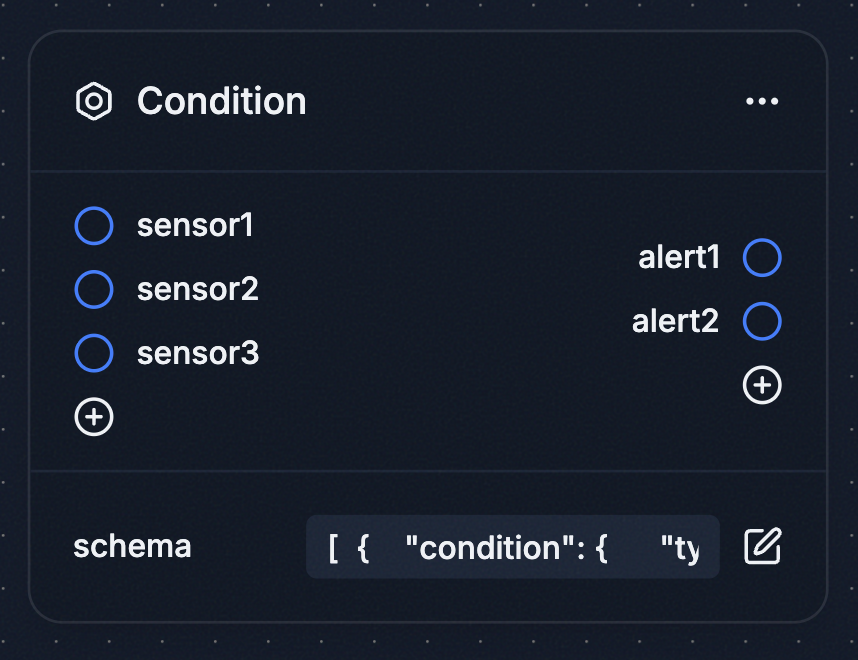
Inputs: sensor1, sensor2, sensor3
Outputs: alert1, alert2
[
  {
    "condition": {
      "type": "and",
      "operands": [
        { "type": "eval", "receiver": "sensor1", "operator": "==", "datatype": "STRING", "value": "HIGH" },
        { "type": "eval", "receiver": "sensor2", "operator": "==", "datatype": "STRING", "value": "HIGH" }
      ]
    },
    "actions": [{ "sender": "alert1", "payload": { "type": "static", "datatype": "STRING", "value": "SCHEMA_1_FIRED" } }]
  },
  {
    "condition": {
      "type": "and",
      "operands": [
        { "type": "eval", "receiver": "sensor1", "operator": "==", "datatype": "STRING", "value": "HIGH" },
        { "type": "eval", "receiver": "sensor3", "operator": "==", "datatype": "STRING", "value": "HIGH" }
      ]
    },
    "actions": [{ "sender": "alert2", "payload": { "type": "static", "datatype": "STRING", "value": "SCHEMA_2_FIRED" } }]
  }
]
Example 4 — comparing two inputs
Fire when one sensor reads higher than another, instead of comparing against a fixed number. Note there’s no datatype or value — the rule compares the two inputs’ latest values directly.
Inputs: sensorA (a map containing temp), sensorB (a map containing temp)
Outputs: alert_channel
[
  {
    "condition": {
      "type": "eval",
      "receiver": "sensorA.temp",
      "operator": ">",
      "value_receiver": "sensorB.temp"
    },
    "actions": [{ "sender": "alert_channel", "payload": { "type": "static", "datatype": "STRING", "value": "A is hotter than B" } }]
  }
]
Example 5 — checking length
Fire when an incoming message is at least 8 bytes long, regardless of its contents. The value is the length to compare against.
Inputs: data (bytes)
Outputs: alert_channel
[
  {
    "condition": {
      "type": "eval",
      "receiver": "data",
      "operator": ">=",
      "length": true,
      "value": 8
    },
    "actions": [{ "sender": "alert_channel", "payload": { "type": "static", "datatype": "STRING", "value": "Long enough" } }]
  }
]
Things to keep in mind
| Reaching inside a map | Use a dot to access a field inside a map value — e.g. sensor.temperature. Multiple levels can be chained: data.packet.id |
| An input named with a dot | If an input is itself named sensor.temperature, that input wins — the name is read as the input, not as a path into sensor. This holds even before that input has received anything, so the meaning of a receiver never changes with the data that has arrived |
| Output names must match | The sender name in each action must exactly match an output added to the node |
| Input names must match | The receiver name in each condition — and the value_receiver name, when comparing against another input — must exactly match an input added to the node |
| Waiting for data | If a required input hasn’t arrived yet, the rule simply waits — nothing breaks |
| Multiple actions | All actions in a rule fire together the moment its condition is met |
| Sharing inputs across rules | Multiple rules can watch the same input. Each rule remembers values independently, so one firing doesn’t affect the others |