Device Fields
A device field is a named data channel that your devices stream values into. Every reading that reaches PRIZM Cloud — a temperature, a fill level, an on/off state — arrives under the identifier of a field you defined.
Fields are defined once per company, not once per device. A field you create is
available to every device in the company, so a fleet of a thousand devices reporting temperature all
write to the same field.
Fields must exist before data arrives
The field list is the authority on what PRIZM Cloud will accept.
If a device sends a value whose identifier has no matching field, that value is dropped. It is not stored, not queued, and not shown anywhere — and nothing about the device or the blueprint looks wrong. Create your fields before you deploy.
This is why creating fields comes before building an app. A blueprint reads your sensors and sends the results to the cloud under the identifiers you chose here; anything it emits that you have not defined is discarded on arrival.
A value timestamped more than 7 days before it reaches PRIZM Cloud is dropped the same way — silently, with nothing stored, but still charged credits. This catches devices that queue readings while offline: if a device is offline for more than 7 days, the oldest readings in its queue are lost when it reconnects, and you pay for them anyway.
Create a field
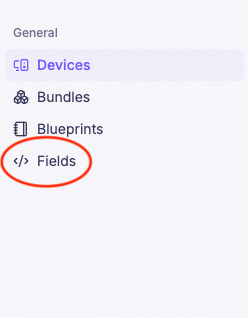
Click Fields in the sidebar
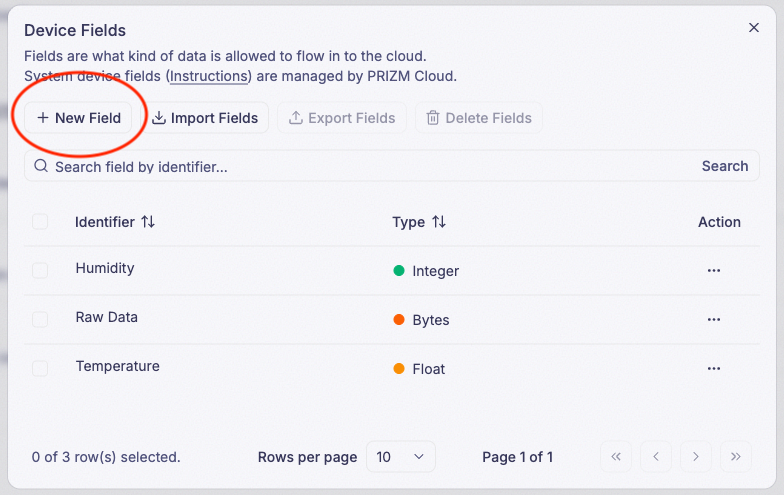
Click New Field
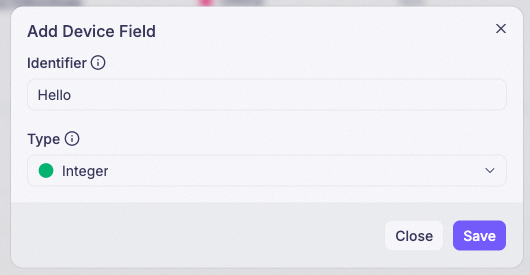
Enter an Identifier, select a type, and click Save
The Identifier is the name your blueprint and your widgets use to refer to this
field. Choose it to match what the blueprint will send — temperature, battery_level, is_running.
Identifiers are unique within your company, and cannot begin with $SYS/ — that prefix is reserved for
system fields.
Import and export fields
Besides New Field, the field list’s action bar has Import Fields and Export Fields buttons. The two are meant to be used together.
-
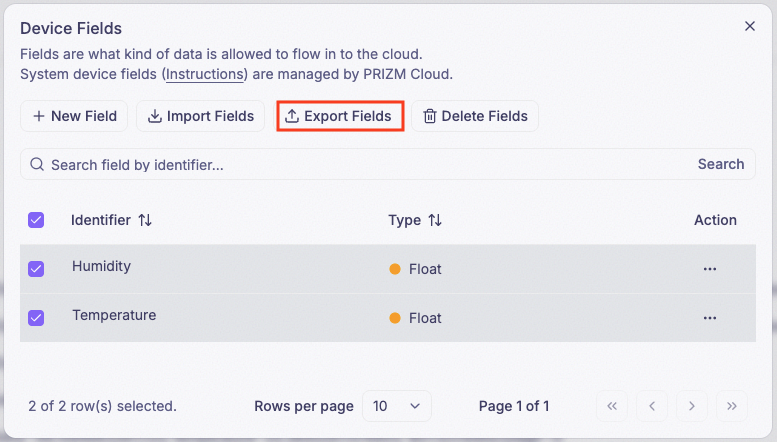
Export Fields — select one or more fields in the list, then click Export Fields to copy them to the clipboard as JSON: It’s disabled until at least one field is selected.
-
Import Fields — opens Import Device Fields. Paste a JSON array in that same shape into the text area and click Import to create all of those fields in one go, instead of repeating New Field for each one:
[
  { "identifier": "temperature", "dataType": "FLOAT" },
  { "identifier": "humidity", "dataType": "FLOAT" }
]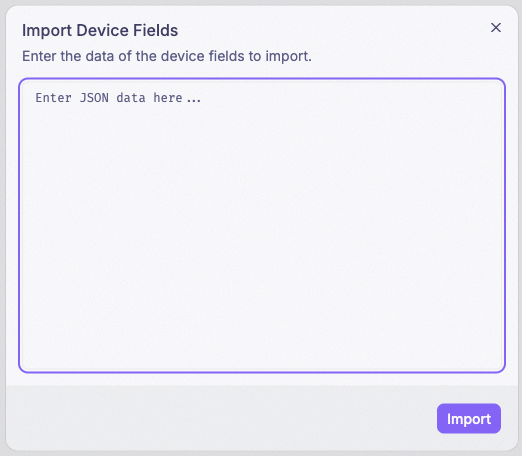
Pasting an exported field list back into Import Fields is how you recreate or duplicate a set of fields — in your own company, in another company, or as a backup.
Data types
Every field has one data type, chosen when you create it. Pick the type that matches what your blueprint will send. The JSON value is what Export Fields writes and Import Fields expects for that type.
| Type | JSON value | Use it for | Notes |
|---|---|---|---|
| Integer | INT | Whole numbers — a count, a state code, a raw sensor reading | 32-bit — no separate 8/16/64-bit variants |
| Float | FLOAT | Numbers with decimals — a temperature, a voltage, a percentage | 64-bit (double) precision |
| Text | STRING | A sequence of characters — a status string, a serial number, a label | No length limit |
| Boolean | BOOL | True or false — on/off, open/closed, running/stopped | |
| Bytes | BYTES | Raw data — an encoded payload, a file, an image | Variable length |
Fields you create and system fields
The fields above are the ones you define. Alongside them, PRIZM Cloud maintains a set of system
fields that report on the device itself rather than on what it senses — its connection status and
signal quality. They exist automatically for every device, are read-only, and use the reserved
$SYS/device/ prefix.
See System fields for what each one reports and how to read its values.
Changing a field after it exists
A field can be renamed, retyped, or deleted at any time. All three are permitted, and none of them is routine.
Widgets and deployed blueprints refer to a field by its Identifier. Changing the Identifier or the data type of a field that something already references can lead to undefined behavior. Before you change either, update every widget that reads the field and redeploy any blueprint that writes to it.
Values already recorded remain available until the data retention window expires, including after the field itself has been deleted. Retention is shown and configured on Settings → Billing.
Where fields show up
Once a field is defined and receiving values, that data is reachable in several places:
- Dashboards — select a field when configuring a widget. See the Widget reference for what each widget type needs.
- Webhooks — field values are delivered to your endpoint as they arrive.
- REST API — query field data from your own applications.
- CSV export — download field data for a date range, all fields or just the ones you pick, from Settings → Data & Integrations.